Bike Tire Pressure CalculatorDial it in.
Ride better.
The right front and rear tire pressure for every ride. Road, gravel and MTB, in seconds.


Calculate your tire pressure online
The right tire pressure depends mostly on your weight, your tire width and the surface, and the front needs less than the rear. For a quick starting point, use the online calculator for your bike. The app also uses your bike weight, measured tire width and maximum pressure, and remembers your bikes.
Better grip. More comfort.
Less rolling resistance.
TireDial answers one question exceptionally well: what pressure should I run today?
Built around your ride
Your weight, your tires, your surface.
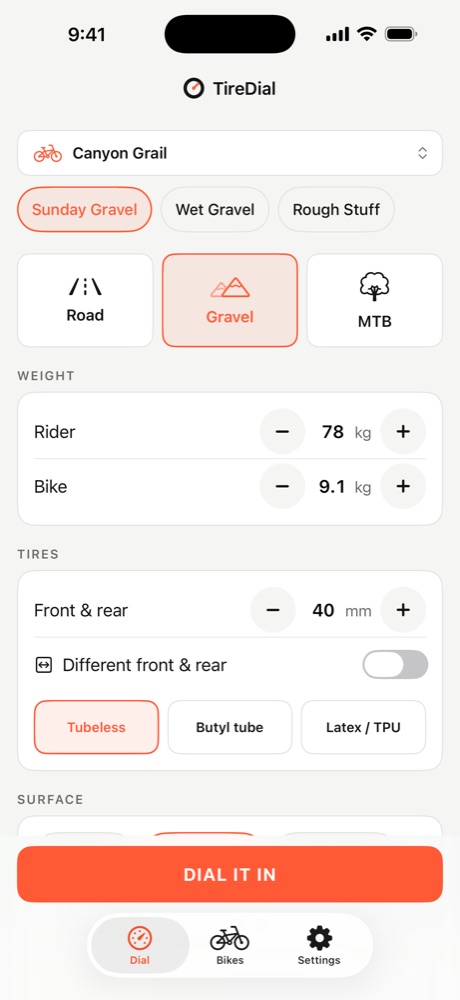
Pick Road, Gravel or MTB, enter your weight and tire width, and tap Dial it in. Sensible defaults mean you get a useful answer in under 20 seconds, even on first launch.
- Tubeless, butyl or latex/TPU tubes
- Smooth to rough asphalt, hardpack to loose gravel, trail to rocky
- Dry or wet conditions
- Fine tune: measured width, rim width, weight distribution, casing and riding preference
Know what's behind the numbers
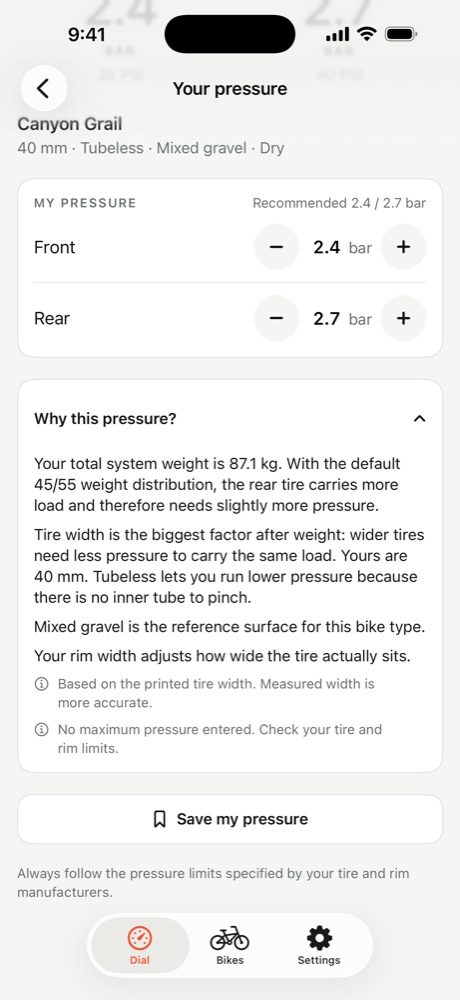
Front and rear. Bar and PSI.
Each wheel carries a different load, so TireDial calculates front and rear separately and shows both units every time. The numbers come first; the dial just makes them easy to read at a glance.
Open Why this pressure? for a plain-language explanation, and adjust in 0.1 bar or 1 PSI steps to match your feel.
Your bikes. Ready in seconds.
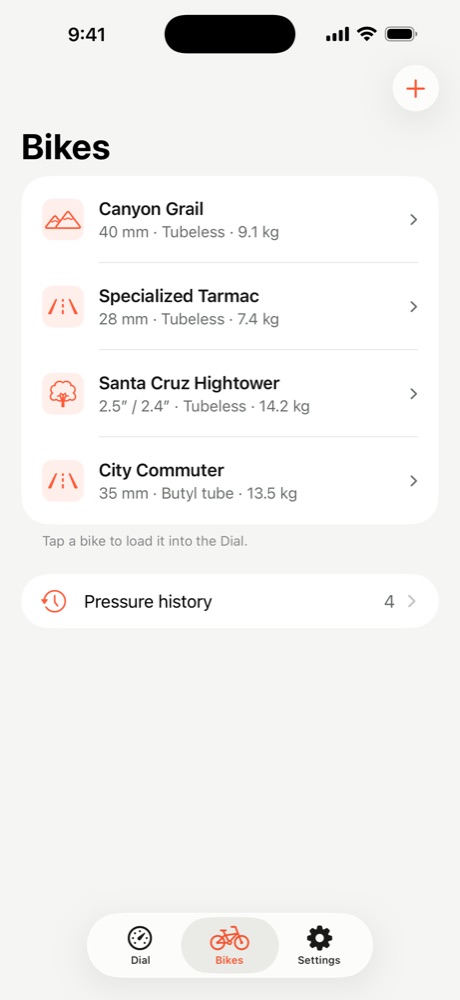
Save your setup once.
Store each bike's weight, tire widths, rims and limits. Next time, tap your bike and your pressure is one tap away.
- Ride presets like “Sunday Gravel” or “Wet Road”
- Staggered front/rear tire sizes
- Your maximum pressure is always respected
Find it once. Remember it forever.
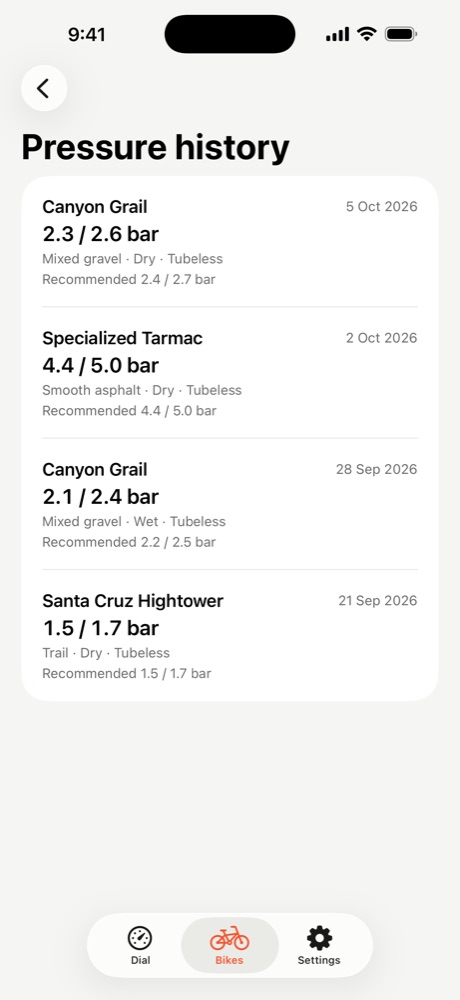
Your pressure history.
Found the pressure that feels just right? Save it. TireDial keeps a full snapshot of each setup, so your history stays meaningful even after you change tires.
Small app. Done right.
No feeds, no ads, no clutter. Just the pressure.
Safe by design
Enter your tire and rim maximum — including hookless rims — and TireDial never recommends more.
Stays on your iPhone
No account, no backend. Your weight and bikes never leave your device.
Works offline
Calculate at the trailhead with no signal. Airplane mode is fine.
Tire or tyre
English (US & UK) and German. Metric or imperial, bar or PSI, mm or inches.
Free to use. One purchase for more.
The full calculation model is free for everyone. Calculation quality is never limited.
TireDial
Everything you need to dial it in.
- Unlimited calculations
- Road, gravel and MTB
- All inputs and the complete model
- Bar and PSI
- One saved bike
TireDial Pro PRO
Pay once, keep it forever. No subscription. No ads.
- Unlimited bikes
- Ride presets
- Save your preferred pressures
- Unlimited pressure history
How TireDial calculates
TireDial calculates front and rear pressure separately, from the load each wheel carries. Your rider and bike weight are split using a weight distribution (45% front / 55% rear by default, adjustable).
Wider tires need less pressure to carry the same load. TireDial uses your measured tire width if you enter it, or the printed width corrected for your rim width.
The result is then adjusted for your surface (rougher surfaces favor lower pressure), tubeless or tubes (tubes need extra pinch-flat protection), wet conditions, tire casing and riding preference.
The model is TireDial's own. Its form follows published methodology — Frank Berto's tire-drop research, SILCA's breakpoint pressure concept and SRAM/Zipp's published guidance — and it was calibrated against more than 60 reference configurations so results land within a credible range of established public calculators.
Any limit you enter is always respected. Pressure recommendations are a starting point: fine-tune by feel and always stay within your manufacturers' limits.
In short
- System weight = rider + bike
- Wheel load = system weight × front/rear share
- Base pressure from wheel load and effective tire width
- Adjust for surface, tubeless or tubes, wet, casing and preference
- Cap at the lowest maximum you entered
Your bikes stay on your iPhone.
TireDial has no account and no backend. Your weight, bikes and presets stay on your device; the app only sends anonymous usage statistics and crash reports, never anything you type. It doesn't access your location, contacts, Apple Health or Strava, and it never sees your advertising identifier.
FAQ
Is TireDial free?
Yes. Unlimited calculations for road, gravel and MTB, every input, the full model and one saved bike are free. TireDial Pro is a one-time purchase (no subscription) that adds unlimited bikes, ride presets, saved pressures and unlimited history.
Is this the "correct" pressure?
It's a well-founded starting point, not a manufacturer specification. Tire pressure depends on many factors, so fine-tune by feel and always follow the limits of your tire and rim manufacturers.
Does it work with tubeless and hookless rims?
Yes. Choose tubeless, butyl or latex/TPU tubes. Hookless rims have their own maximum pressures: enter your rim and tire limit and TireDial never recommends more than the lowest one.
Why is the rear pressure higher than the front?
Most of your weight sits over the rear wheel, so it carries more load and needs a little more pressure. You can change the weight distribution under Fine tune.
Should I use the printed or the measured tire width?
Measured is better. The same tire can be noticeably wider on a wide rim. If you don't measure, TireDial estimates the effective width from the printed size and your rim width.
Does TireDial need an internet connection?
No. Everything works offline. Only buying or restoring TireDial Pro goes through the App Store.
How do I get Pro on my new iPhone?
Open Settings in TireDial and tap Restore Purchases while signed in with the same Apple Account.
Which devices are supported?
iPhone with iOS 17 or later.
The right pressure for every ride.
Road. Gravel. MTB.